- Choose HeyGen AI when
- you need explainers, onboarding lessons, localized announcements, product walkthroughs, or internal updates without coordinating a full shoot.
- It works especially well because
- one script can become several consistent versions with different presenters, languages, aspect ratios, or calls to action.
01 / Definition
What Is HeyGen AI and What Does It Do?
HeyGen AI is a browser-based video creation platform that uses artificial intelligence to turn written scripts into presenter-led videos. Instead of filming a person, recording voice-over, and editing every scene manually, HeyGen AI combines digital avatars, synthetic speech, templates, and translation tools in one workflow.
Try HeyGen AI →
02 / Process
How it works
The basic HeyGen AI process is designed for people who have a message to deliver but do not want a complicated production setup. You provide the words, select the presentation style, review the result, and export the finished video.
-
Write or paste a script
Start with a product explanation, training lesson, announcement, sales message, or other short script. HeyGen AI can help turn a simple idea into a structured video outline.
-
Choose a digital presenter
Select an avatar, voice, language, layout, and visual template. The presenter delivers your script with generated speech and timed facial movement.
-
Review and publish
Adjust the wording, scenes, subtitles, and branding before rendering. HeyGen AI then creates a shareable video without requiring a camera, studio, or traditional editing timeline.
03 / Fit check
What HeyGen AI can and cannot do
HeyGen AI is strongest when the goal is clear communication at useful scale. It reduces production friction, but it does not remove the need for good judgment, accurate source material, or human review.
- Choose a filmed production when
- the story depends on real locations, spontaneous performances, physical demonstrations, or a highly specific human personality.
- The reason is simple
- generated presenters are efficient and repeatable, while real footage still offers unique environments, natural interaction, and documentary texture.
- Use both when
- you want real footage for trust-building moments and HeyGen AI for supporting explanations, translations, or fast content variations.
- This hybrid approach helps
- keep the most personal parts of a campaign authentic while making routine communication easier to produce and update.
04 / Audience
Who uses it
HeyGen AI is used by teams that publish repeated, presenter-led communication. Marketers can create campaign variations, learning teams can build training modules, and global organizations can adapt a message for different audiences. A marketing workflow may use HeyGen AI for product launches and social clips, while a localization team may pair it with the translator workflow to reach viewers in additional languages.
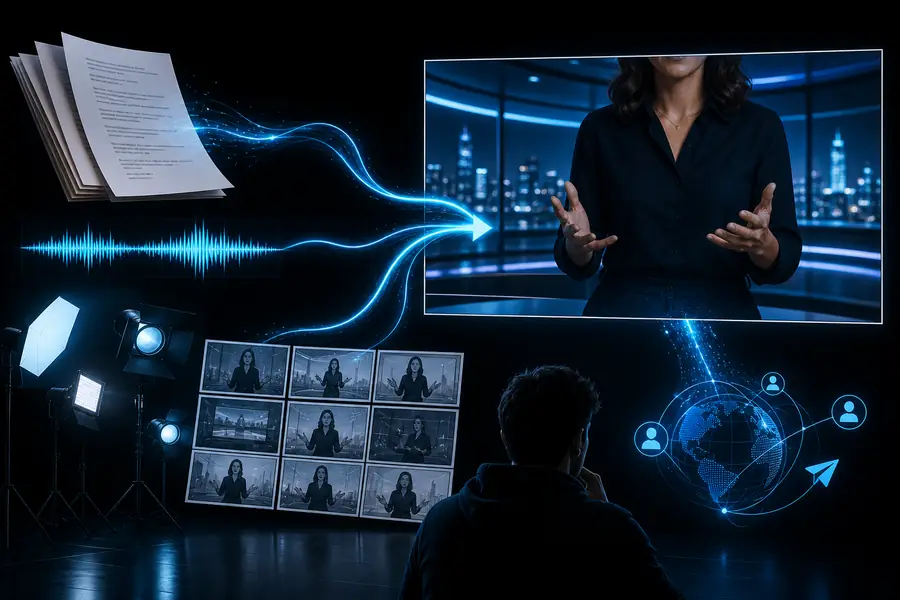
The practical change is not only visual polish. HeyGen AI lets a team turn one approved idea into a repeatable communication asset that can be revised, branded, and distributed across channels.
05 / Getting started
Its own FAQ
The first step is to decide whether your message benefits from a consistent digital presenter and a fast revision cycle.
- Have a clear script or a defined message to develop
- Know who the intended viewer is and where the video will be shared
- Choose a presenter style, voice, language, and visual tone
- Prepare brand colors, logos, subtitles, and supporting media
- Set aside time for factual, pronunciation, and accessibility review
01 Is HeyGen AI safe to use?
HeyGen AI can be used responsibly when teams review what they upload, obtain permission for any likeness or voice they use, and check every generated video before publishing. Treat scripts, brand materials, and personal information according to your organization's privacy rules. Human approval remains important because HeyGen AI can produce fluent wording or convincing delivery without guaranteeing that every claim, name, or pronunciation is correct.
06 / At a glance
Why teams consider HeyGen AI
1
script can support multiple video versions
3
core inputs: words, presenter, and visual style
24/7
browser-based access to the creation workflow
0
camera crews required for a basic avatar video
07 / Honest limits
Where HeyGen AI still needs people
It cannot replace editorial judgment
A polished presenter does not guarantee a useful script, accurate promise, or suitable tone.
Workaround: approve the script and claims before rendering.
It cannot make every performance feel natural
Some emotional, comedic, or highly personal moments are better delivered by a real person.
Workaround: reserve avatar videos for clear, structured communication.
It cannot invent missing context safely
Short prompts can leave out audience details, pronunciation guidance, or important constraints.
Workaround: provide source notes and run a human quality check.
It cannot remove consent responsibilities
Using a person's likeness, voice, or confidential information still requires appropriate permission.
Workaround: use approved assets and document internal authorization.