MARKETING PLAYBOOK

HeyGen for Marketers: build more campaign video

HeyGen for marketers helps small teams turn one approved message into polished explainers, sales enablement clips, and localized campaign assets. Instead of waiting on a studio slot for every variation, marketers can shape a script, select a presenter, review the output, and keep the workflow moving.

Start a marketing video

the scenario's pain

Campaigns move faster than production

Marketers often have the brief, the offer, and the audience insight ready, but the video queue is full. A simple product update can require scripting, filming, editing, captions, and multiple review cycles before it is publishable.

Turn a campaign brief into a draft
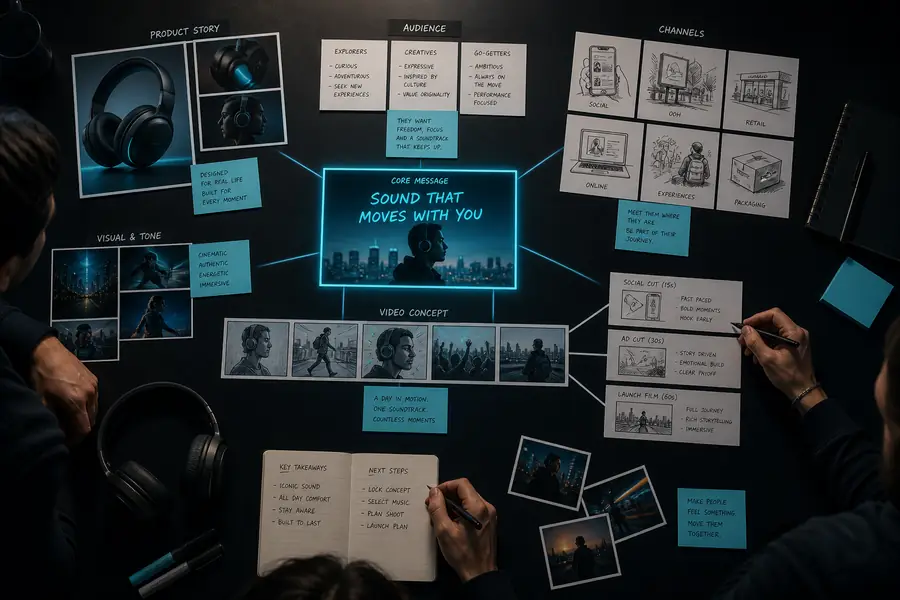

One message needs many versions

Paid social, lifecycle email, landing pages, and sales teams all need slightly different cuts. HeyGen AI makes it easier for marketers to adapt the same approved narrative without recreating every production step.

Create campaign variations

Localization becomes a launch blocker

Global marketers can lose days coordinating voice talent and reshoots for regional audiences. With a controlled script and review process, teams can prepare localized versions while keeping the core campaign message consistent.

See how heygen for real estate teams localize property content

Subject-matter experts are hard to schedule

Product experts and executives may have the knowledge but not the calendar space. An avatar-led workflow lets marketers capture the message once, then produce useful internal and external assets from the approved copy.

Build an expert-led explainer
THE MARKETING EFFECT

3 ways marketers get more from one approved message

The strongest HeyGen AI workflows are not about making random videos. They are about creating a dependable production system that gives marketers more useful outputs from the same strategic work.

50% less repetitive production work for common campaign variants
more content formats from one structured campaign script
24h to prepare a reviewed first version for many simple briefs
1 message system for social, sales, training, and web video
A REPEATABLE SYSTEM

3 concrete workflows for busy marketing teams

Start with a use case that already has a clear audience, a stable message, and an owner who can approve the final output.

  1. Campaign launch kits

    Turn a product brief into a hero video, short social cutdowns, a captioned email embed, and a sales follow-up clip. Marketers can keep the central promise consistent while adjusting the opening and call to action for each channel.

  2. Product education at scale

    Convert release notes, feature documentation, or onboarding copy into concise presenter-led lessons. HeyGen AI gives marketers a practical way to support customer education without asking the product team to record every update.

  3. Regional content adaptation

    Prepare localized versions from an approved source script, then route them through the same brand and legal review process. This is especially useful when marketers need several language versions before a coordinated launch.

briefreviewpublish
EXAMPLE OUTPUT

What a marketer can produce from one launch brief

Imagine a product launch with one approved message: introduce the feature, explain the benefit, and invite the viewer to try it. The same source can become a coordinated set of assets instead of a single isolated video.

8 videos estimated output from one approved campaign message
Marketing campaign source brief displayed as a video concept
Source brief · one core message
Finished presenter-led campaign video for a marketing team
Campaign set · multiple audience cuts

A practical marketing output includes a clear opening, a single audience promise, readable captions, a focused call to action, and a review owner. Keep the source script modular so each variation remains easy to update.

Create the first version
COMPLIANCE NOTES

Make speed work with your review process

Marketing teams should treat generated video like any other published asset: define ownership, document approvals, and make sure the final version reflects the organization’s claims, brand rules, and audience expectations.

Approve the script first

Route claims, product language, pricing references, and regulated statements through the same reviewer who approves campaign copy. A polished presentation does not replace factual review.

Set up a reviewed script workflow

Protect sensitive information

Do not place confidential customer details, unreleased launch plans, private identifiers, or restricted internal material into a draft unless your organization has approved the handling process.

Plan a safer content process

Label synthetic presenters clearly

Use disclosure language where platform policy, local regulation, or audience context calls for it. Keep a record of the approved avatar, voice, script version, and final export.

Prepare a transparent campaign asset
SCENARIO FAQ

Questions marketers ask before adopting an AI video workflow

01Can HeyGen AI replace our entire video team?

No. It can reduce repetitive production work and help marketers make more variations, but creative direction, message strategy, brand judgment, and final approval still need human ownership.

02Is this useful for a small marketing team?

Yes. Small teams often benefit most when they begin with one repeatable workflow, such as product education or campaign cutdowns, and establish a simple script, review, and publishing checklist.

03How should marketers review generated videos?

Check the script, pronunciation, visuals, captions, brand treatment, claims, accessibility, and call to action. Compare every localized version against the approved source before publishing.

04What is the best first project?

Choose a high-volume, low-risk format with a stable message: a feature explainer, internal update, onboarding lesson, or short campaign variant. Measure time saved and audience response before expanding.

HeyGen for marketers works best when it connects a clear brief to a human-led review loop.